7 answers out of 12 were correct. What is the percentage score?
This type of calculation is best approached as a fraction.
The partial value, in this case 7, is divided by the total value. Formatting is then used to display the resulting number as a percentage.
In the example below, 7 answers were correct out of a possible 12.
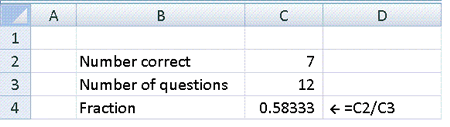
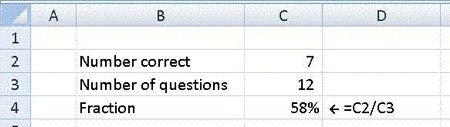
Finally, change the format of the answer so that Excel displays it as a percentage. This can be done using the percentage icon on the toolbar.
It is usually worthwhile increasing the number of decimal places displayed so that a more accurate value is shown.
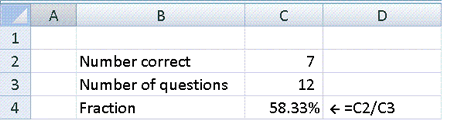
A score of 7 correct out of 12 questions represents a total score of 58.33%.
Try it yourself using the examples below...